How to Cheat on CodeSignal Proctored Tests in 2026: My Tricks

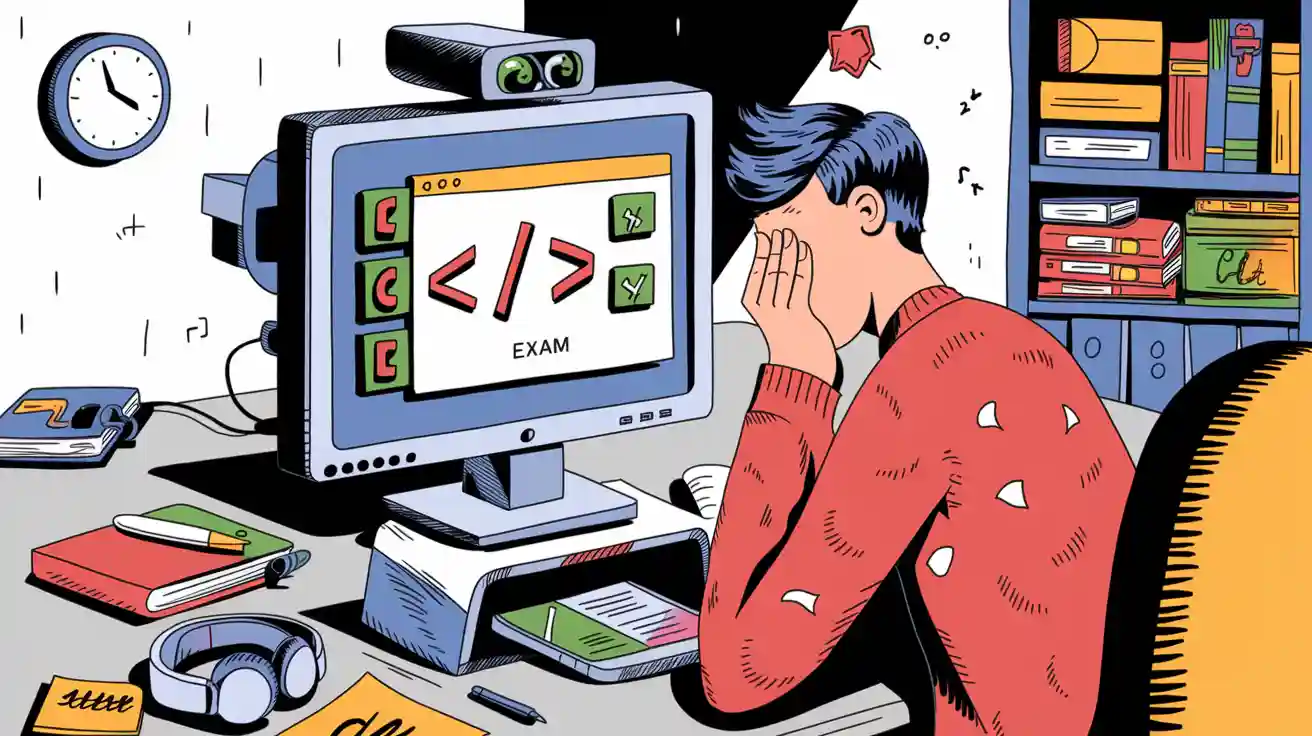
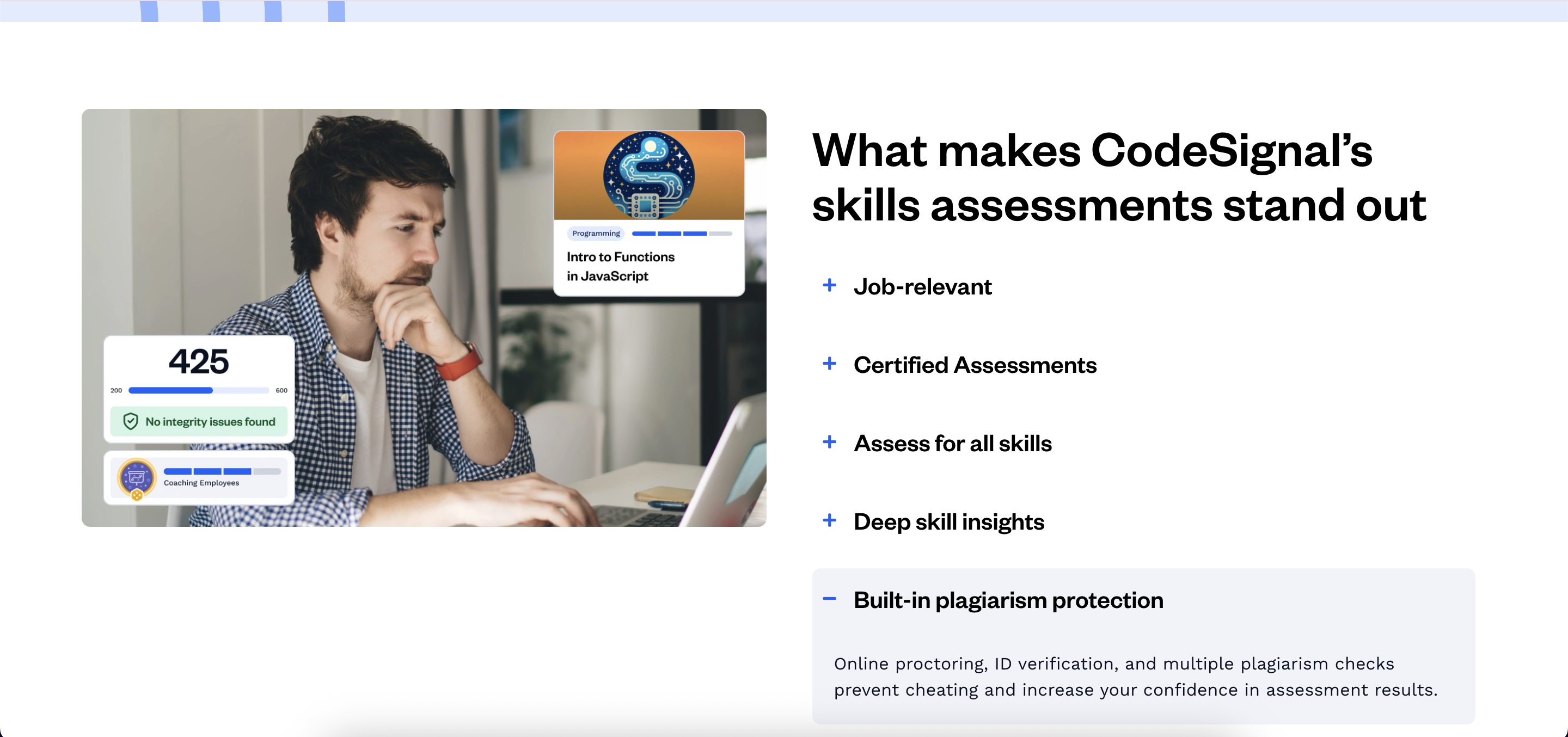
CodeSignal interviews are utilized in both skills assessments and live tech interviews. According to official documentation, the platform features built-in plagiarism protection. Beyond online proctoring and ID verification, it employs an array of plagiarism checks to prevent cheating, making it significantly more challenging to use external aids during the process.
If you're facing interviews in other OA platforms, you can also read my articles about how to cheat on coderpad, or how to cheat in hackerrank interviews.
However, I passed CodeSignal using Linkjob AI undetected. I'll now share tips on how to get the most out of this AI interview assistant, the kind of help it offers in interviews, and how it manages to bypass anti-cheating measures without being caught.

If you're using other platforms for your online assessments, feel free to check out my other articles in this series, I’ve also shared detailed guides on how to cheat on HackerRank, how to cheat in a Microsoft Teams interview, and more, providing step-by-step instructions for staying undetected..
Key Takeaways
Cheating in CodeSignal proctored tests is risky due to strict monitoring and detection methods. Therefore, we need a completely undetectable AI interview assistant that won't raise any red flags.
The AI coding interview copilot needs to provide complete code solutions that account for all edge cases and pass all test cases. Ideally, it should also offer optimization strategies.
Using tools like Linkjob AI to cheat is one way to look at it, but for me, AI is just an assistant. It’s unrealistic to expect a junior-level candidate to pass a senior-level interview relying solely on AI without the actual skills. I don't want to depend on the tool, I want it to help me perform at my best so I can clear the interview on my own merit.
CodeSignal Proctoring Measures
Copy Paste Detection
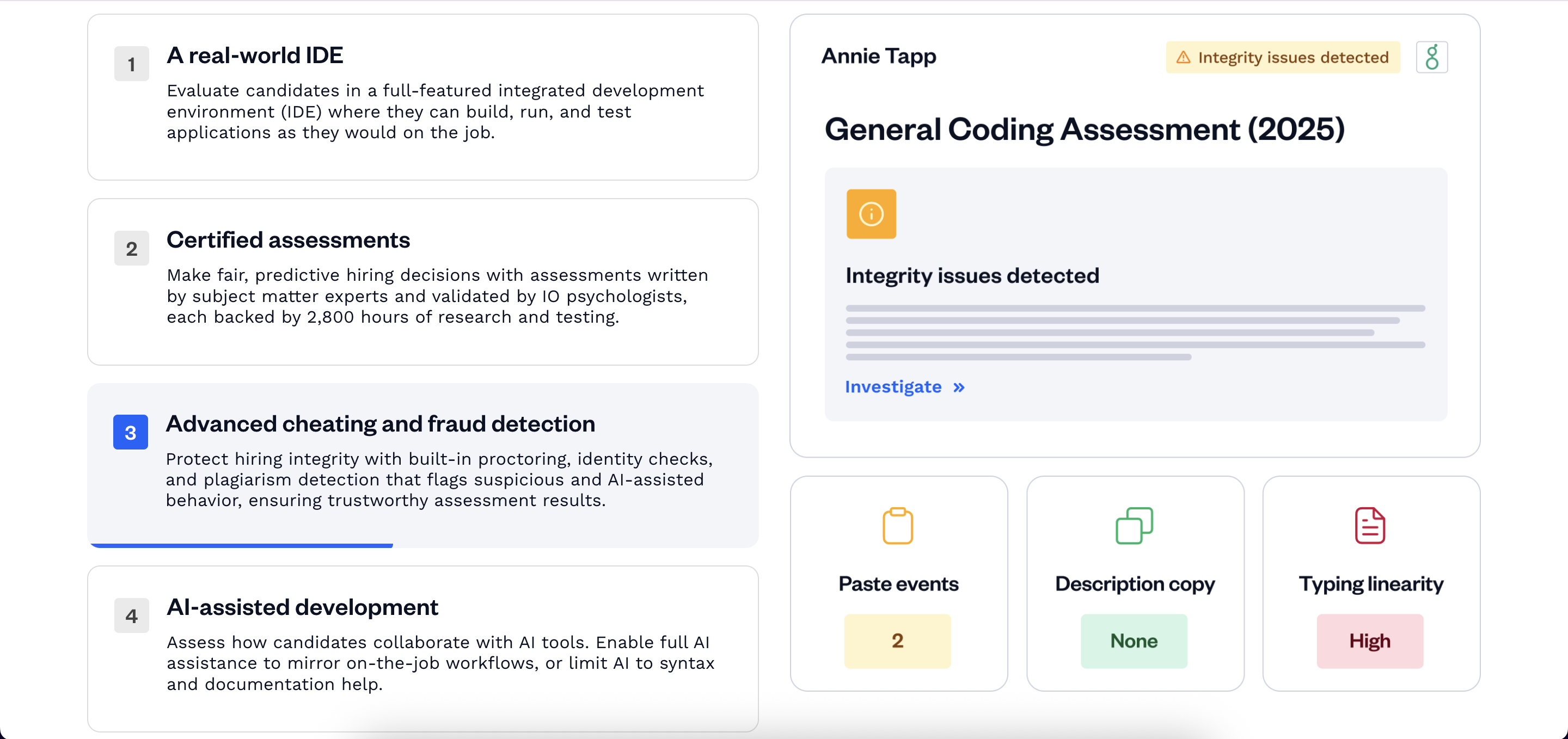
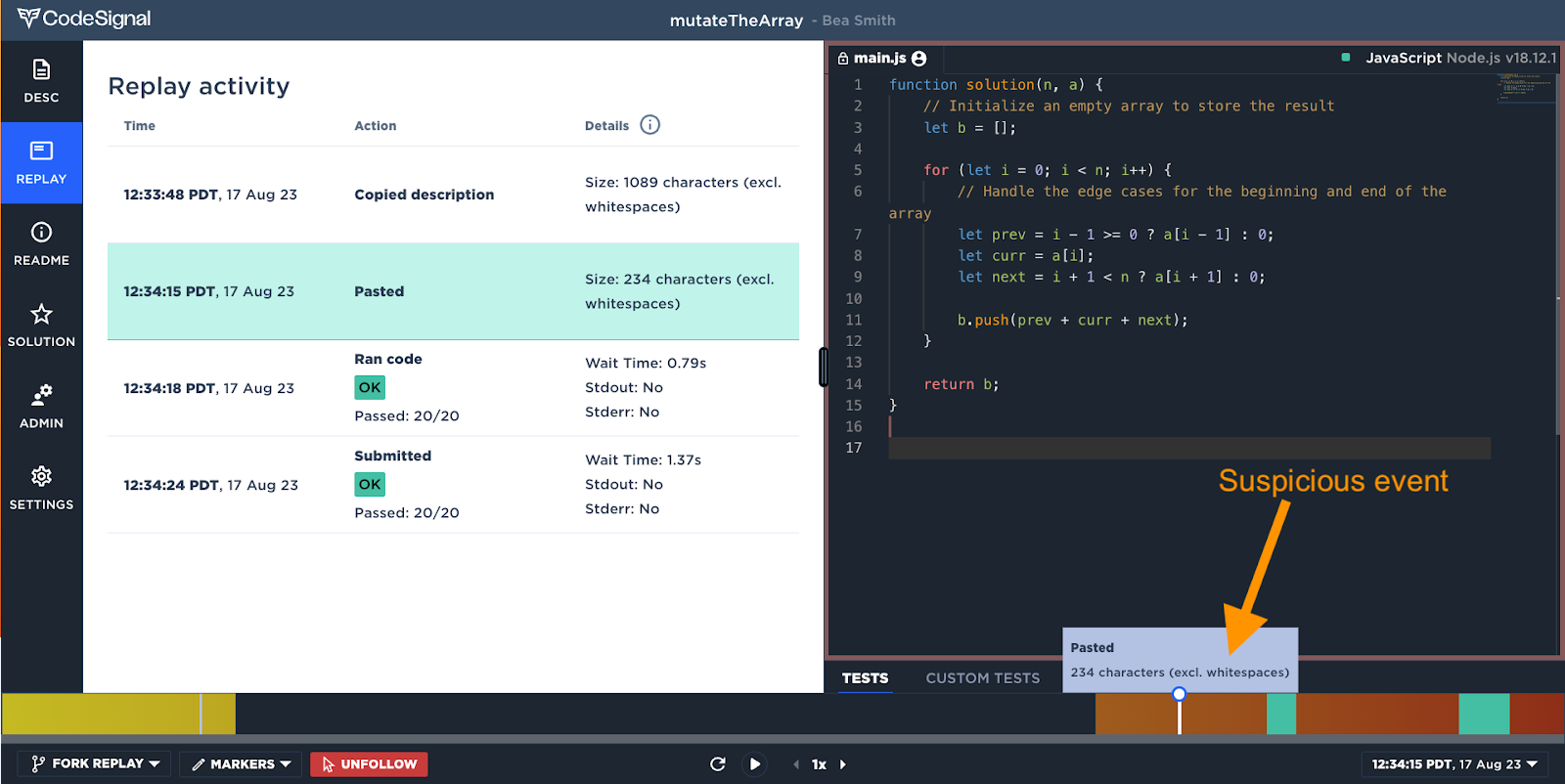
To ensure a foolproof experience with the AI assistant, I carefully reviewed CodeSignal’s documentation on their detection measures beforehand. I noticed that nearly half of their content focuses on copy-pasting. The system monitors keystroke dynamics. For instance, it tracks whether I copy the problem description, analyzes the exact character count and frequency of paste events, and even flags whether copying happens at the very beginning or if a large chunk of code is pasted at the very end.
Furthermore, many candidates wonder if CodeSignal records screen sessions; the answer is a definitive yes, as it provides a full playback for interviewers to review after the test.
Webcam Monitoring
CodeSignal requires my webcam to be active throughout the entire process, from the initial ID verification to the very end of the test. I am not allowed to have anyone else in my testing environment. At the same time, I must remain visible on camera at all times, as 'no person detected' is considered highly suspicious. Furthermore, once the camera is on, I can't let my eyes wander; I have to keep my gaze fixed on the screen, otherwise, I risk being flagged by the system.
Mouse Behavior Detection
Mouse behavior is also heavily monitored during the interview. CodeSignal performs cursor tracking and maintains statistics on click events. Abnormal patterns—such as perfectly linear movement trajectories, instantaneous cursor displacements, or an unnatural ratio between idle and active time—can all lead to being flagged for suspected cheating.
Coding Patterns Detection
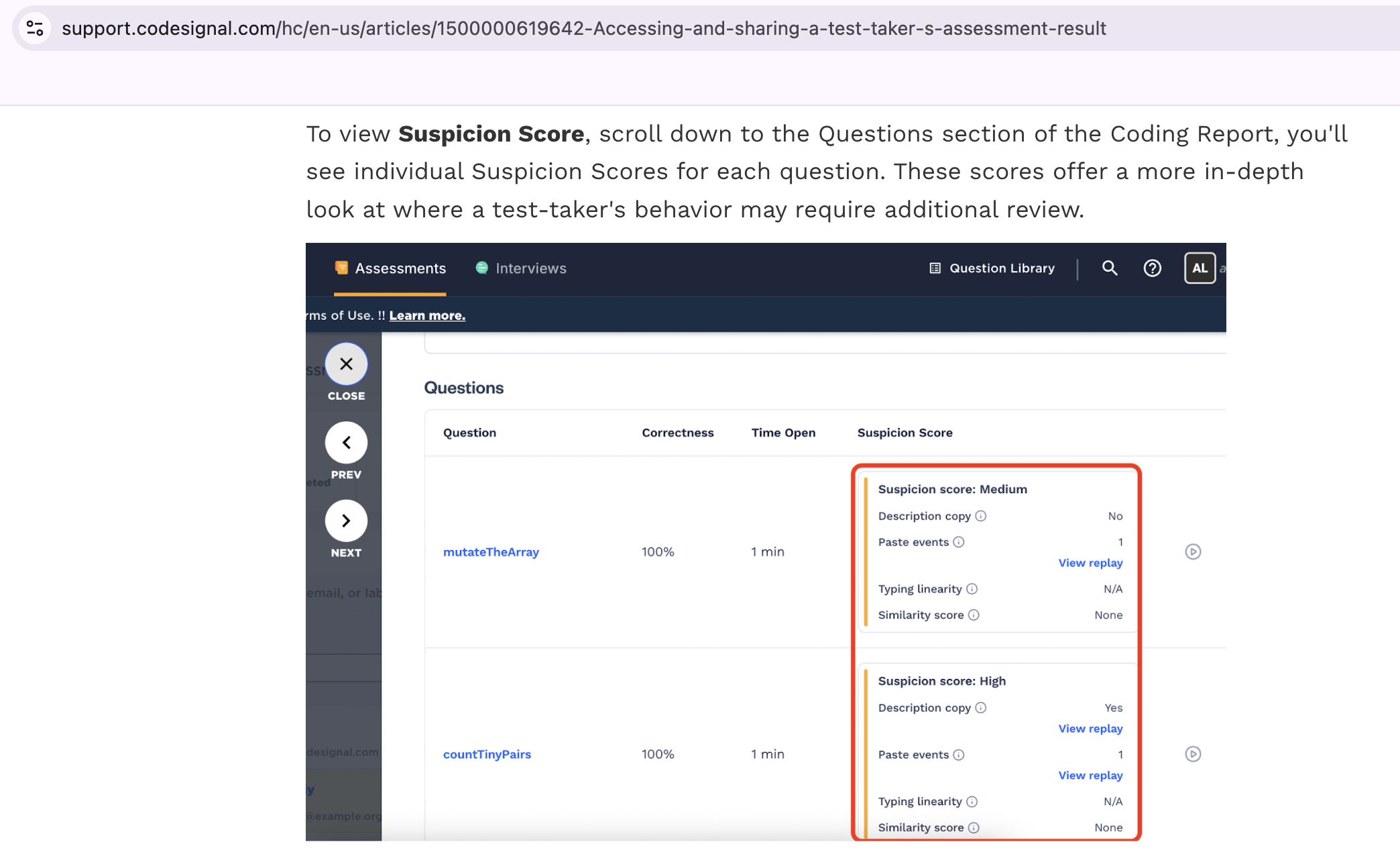
The programming behavior dimension primarily evaluates a candidate's typing linearity and similarity score. Human coding is typically incremental: we start with function signatures, then build out the logic, pausing occasionally to think or refactor a variable name. This input stream has a natural rhythm and cadence, generally unfolding from top to bottom and from internal logic outward. However, if external resources are misused, the code may be populated in a way that defies logical sequence.
Drawing on data from millions of interviews and assessments, CodeSignal can determine whether we are heavily relying on AI to solve problems. This is exactly why I mentioned at the beginning: it is unrealistic to expect to pass the interview solely through AI if you have zero foundational knowledge.
How to Cheat on CodeSignal Undetected
How to Bypass Screen Sharing and Active Tab Detection
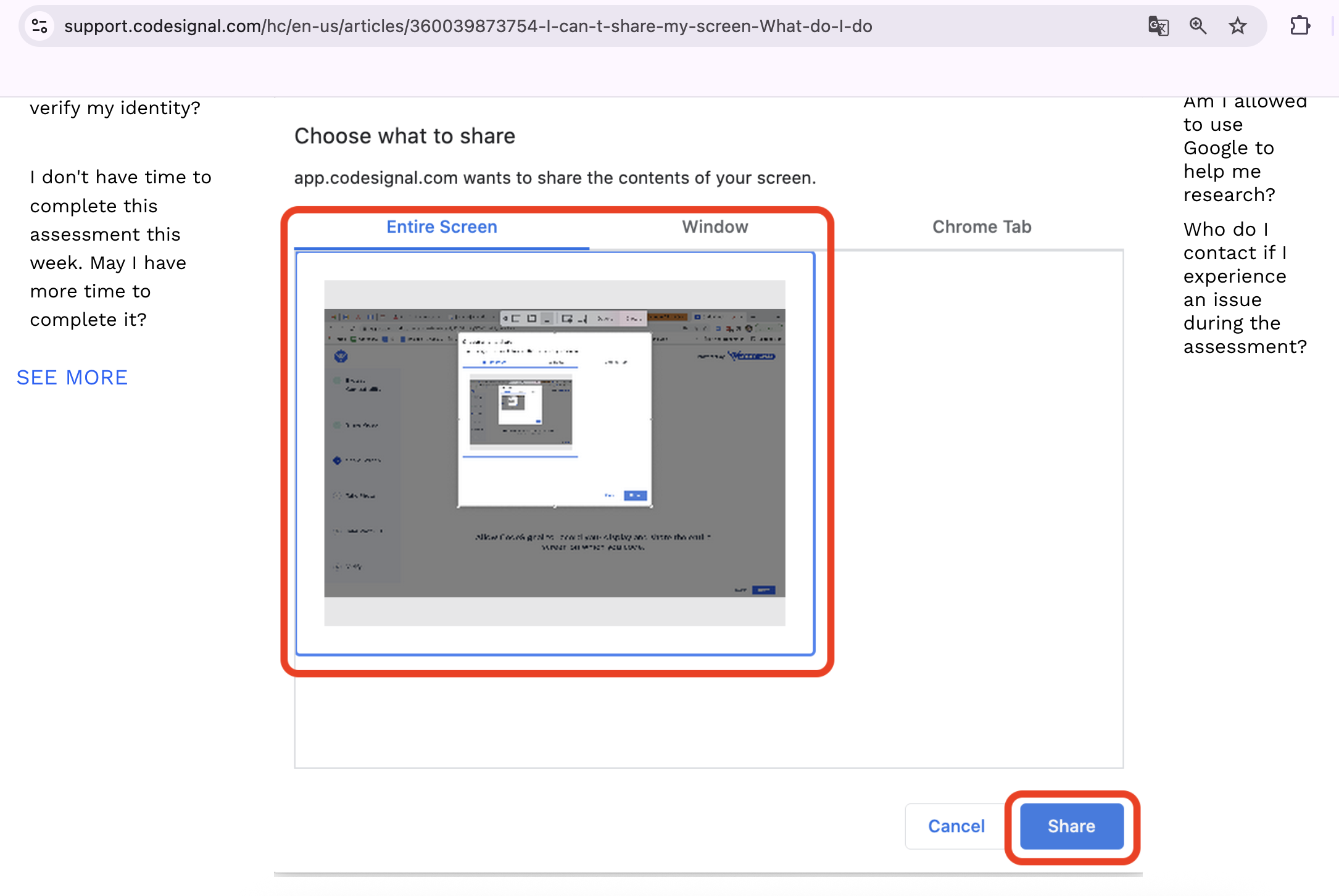
According to CodeSignal's official support documentation, you are required to share your entire screen during the interview, rather than just an individual tab or window. This means that standard solutions simply won’t work.
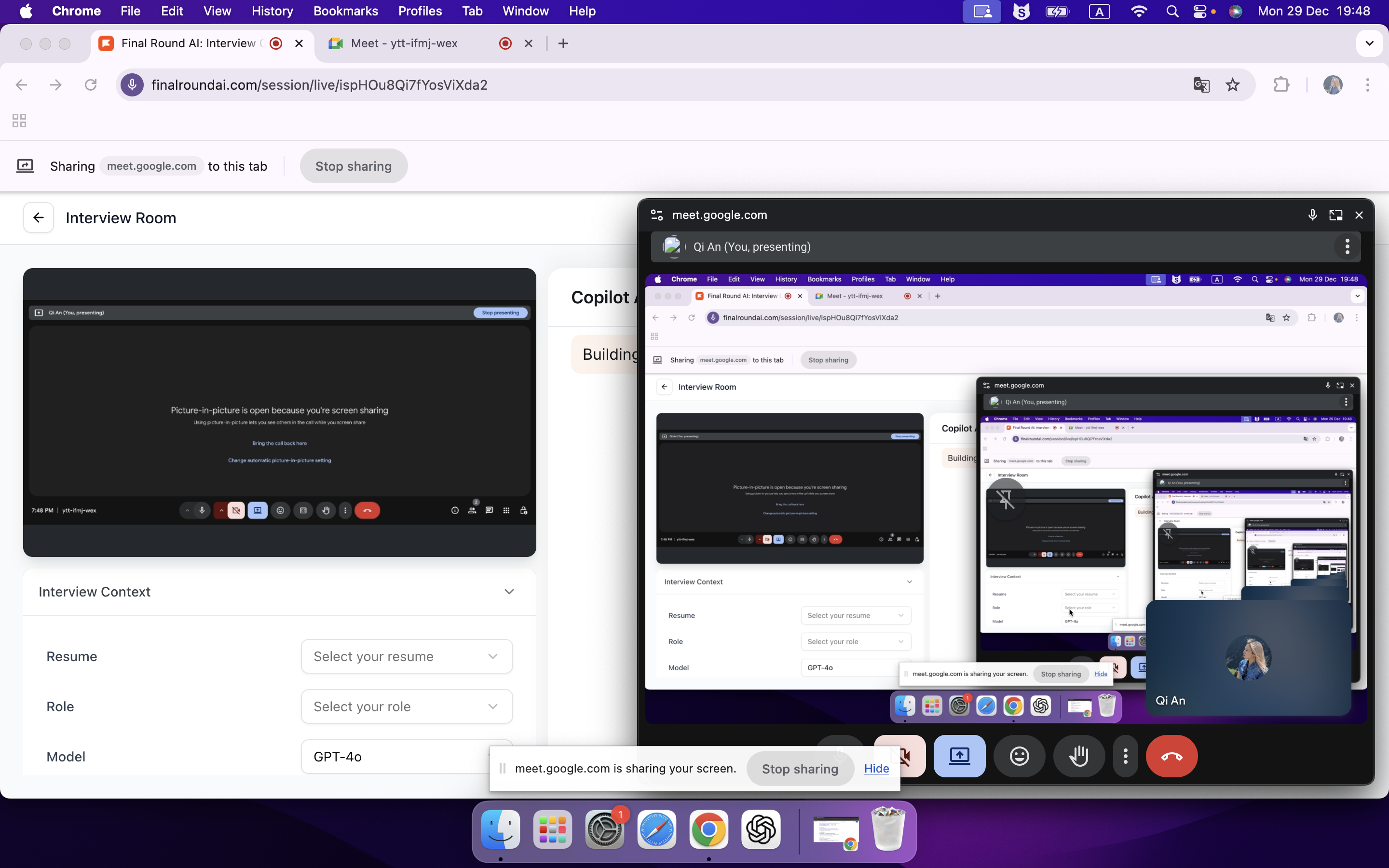
To my knowledge, nearly all AI interview assistants claim complete invisibility as a core selling point. However, many of these products are merely browser-based extensions or require a dedicated tab to function. When you are forced to share your entire screen, every action is exposed; clicking an extension icon or switching between tabs is clearly visible to the proctor, rendering these tools completely useless in an online test environment. I’ve personally tested web-based products, and the result during a screen-share is shown in the image below: the AI-generated answers stay within the product's tab, making the traces of AI usage painfully obvious when you try to view them.
The only effective countermeasure is to switch to a desktop-based AI coding assistant. These operate outside the browser sandbox, meaning CodeSignal has no authority or technical means to monitor other software running on my machine. Since desktop applications don't require tab-switching, they are completely immune to active tab detection.
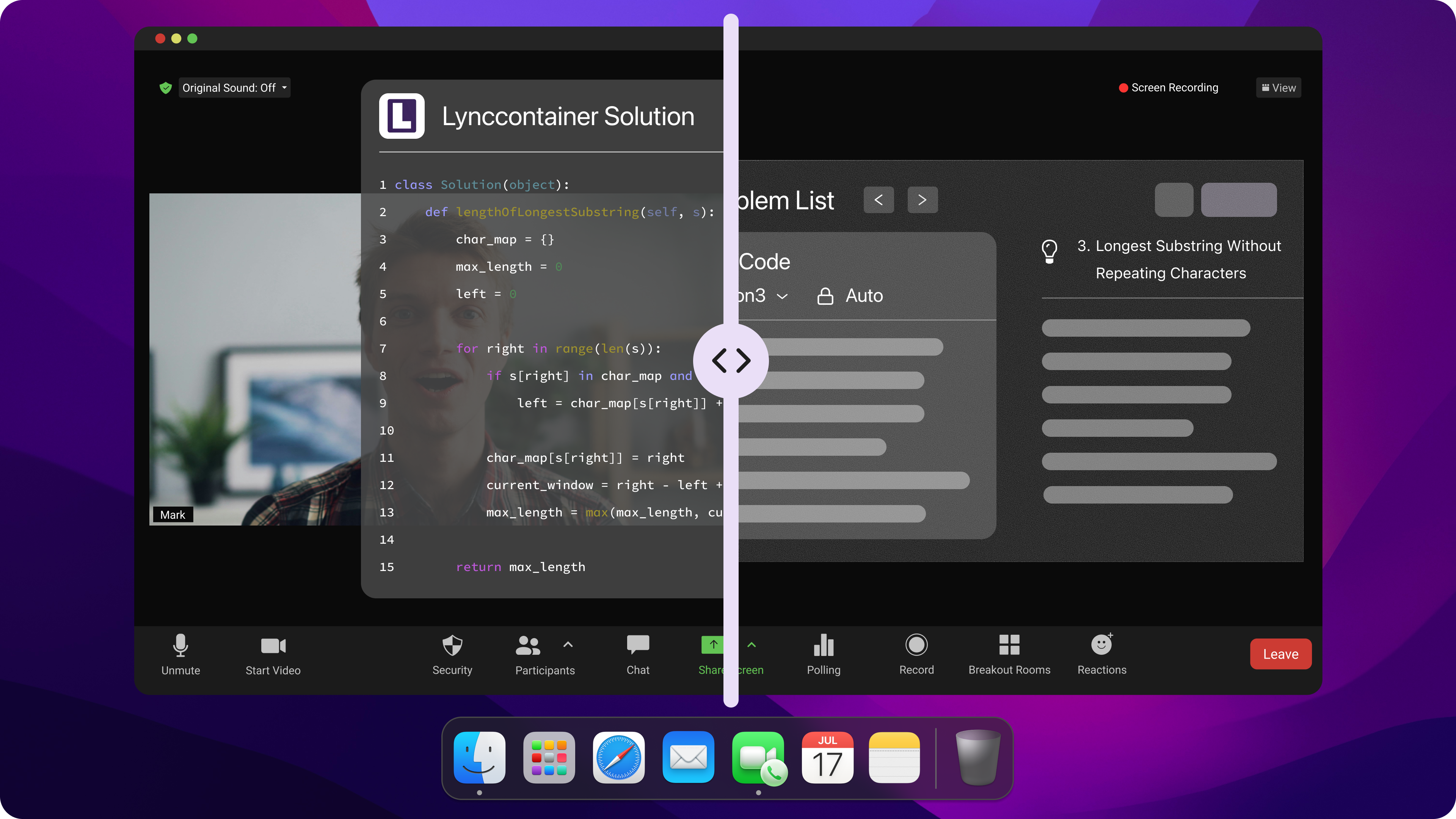
Furthermore, by leveraging system-level integration to hover as a top-level overlay, desktop AI interview tools ensure the CodeSignal environment cannot detect their presence, making AI usage absolutely secure. Taking Linkjob AI as an example, its invisibility is so advanced that when I tried to take a screenshot to show you, the interface simply didn't appear in the image. Because of this, I can only provide an official product photo here to demonstrate its effect. As you can see, it even goes as far as hiding the Dock icon and the Menu Bar application name for maximum discretion:
How to Bypass Webcam Monitoring
Since the AI assistant is on-screen and can directly hear the interviewer and analyze my screen, I no longer need external resources like a phone or a partner to help me solve problems. This keeps my line of sight focused on the computer screen at all times, ensuring natural eye contact and preventing the webcam from detecting multiple people in my environment.
To further enhance stealth, I position the Linkjob AI answer window directly beneath my webcam or right above the problem description, making it look like I’m making eye contact or reading the questions. The adjustable transparency is also a huge plus. I can dim the window so it never obstructs the exam content, which I find incredibly convenient.
How to Bypass Programming Behavior Monitoring
Addressing this issue is actually quite simple: I just need to maintain natural behavior. Instead of copy-pasting AI-generated code, I manually type out the solution while following my own coding style. I also never copy the problem description, as the AI can directly see my screen through its capture feature.
To further minimize risk, I use Linkjob AI's built-in settings to set my cursor to invisible mode and configure undetectable global hotkeys beforehand. I also pre-set my prompts for the screenshot function. This way, I don't have to manually tell the AI what to do every time. It already knows I want the complete code solution, edge-case analysis, and optimization suggestions by default.
Why Conventional Cheating Fails on CodeSignal
Conventional cheating methods were quite popular a few years ago. I often saw them mentioned while browsing through Reddit threads and forums like Blind. Unfortunately, under today’s much stricter detection mechanisms, these methods have become completely obsolete.
Multiple Devices
I’ve known candidates use extra devices like phones, tablets, or even another laptop to search for answers during the test. Some people try to keep these devices out of the camera’s view, hoping proctors won’t notice. Others use Bluetooth or network tricks to connect with helpers outside the room. Some candidates manage to leak answers by hiding devices or getting help from family and friends in the same room. I’ve heard stories about people using virtual machines or even external projectors to mirror their screens for outside assistance.
Although CodeSignal's instructions don't mention detecting this particular trick, that might just be because their documentation is outdated (it hasn't been updated in two years). I’ve seen many other testing platforms clarify that using multiple devices will get you flagged for cheating. Take Coderbyte for example: as the most rigorous platform out there, it explicitly forbids any multi-device setups:
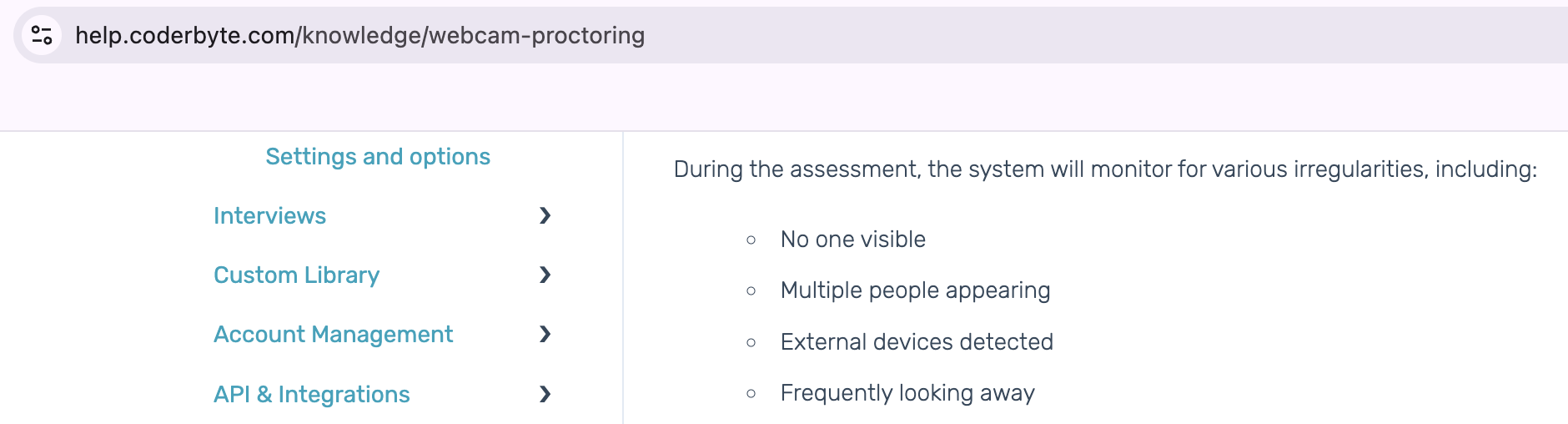
Of course, if you’re looking to find out how to cheat on Coderbyte, I have a few other tricks up my sleeve to help you bypass even their most rigorous detection.
Screen Sharing with Others
Screen sharing is another popular trick. I’ve seen candidates use remote desktop software or share their screens with someone who feeds them answers in real time. Sometimes, they run a virtual machine to keep their cheating activities hidden from proctoring software.
Clearly, based on my explanation of CodeSignal's detection methods, you've likely realized that this approach is a no-go, as screen-sharing detection will catch everything in plain sight.
ChatGPT Assistance
The main reason this approach doesn't work is that you have to use ChatGPT either in a browser or through the desktop app without invisible overlay. Even if we ignore the fact that copy-pasting the question will definitely trigger those copy-paste detectors, the browser version can’t get around active tab tracking and the desktop app can’t hide from screen sharing detection. Basically, you're bound to get caught. Plus, you have to manually type in prompts to get ChatGPT to help because it’s not actually built for interviews. That makes it way less convenient than a dedicated AI interview assistant like Linkjob.
Another reason I’m skipping ChatGPT is how it handles coding. It was a huge trend for cheating in interviews a few years back, but honestly, I don't think it's as good as Claude Opus anymore. It’s the same story with models like Gemini Flash. Since they're lower-tier models, they probably only catch about 50% of the edge cases that the higher-tier ones do. I actually tested Gemini Flash on CodeSignal myself, and it couldn't even pass 4 out of 20 test cases.
FAQ
Is Linkjob AI truly undetectable? And has anyone actually used it to land a job?
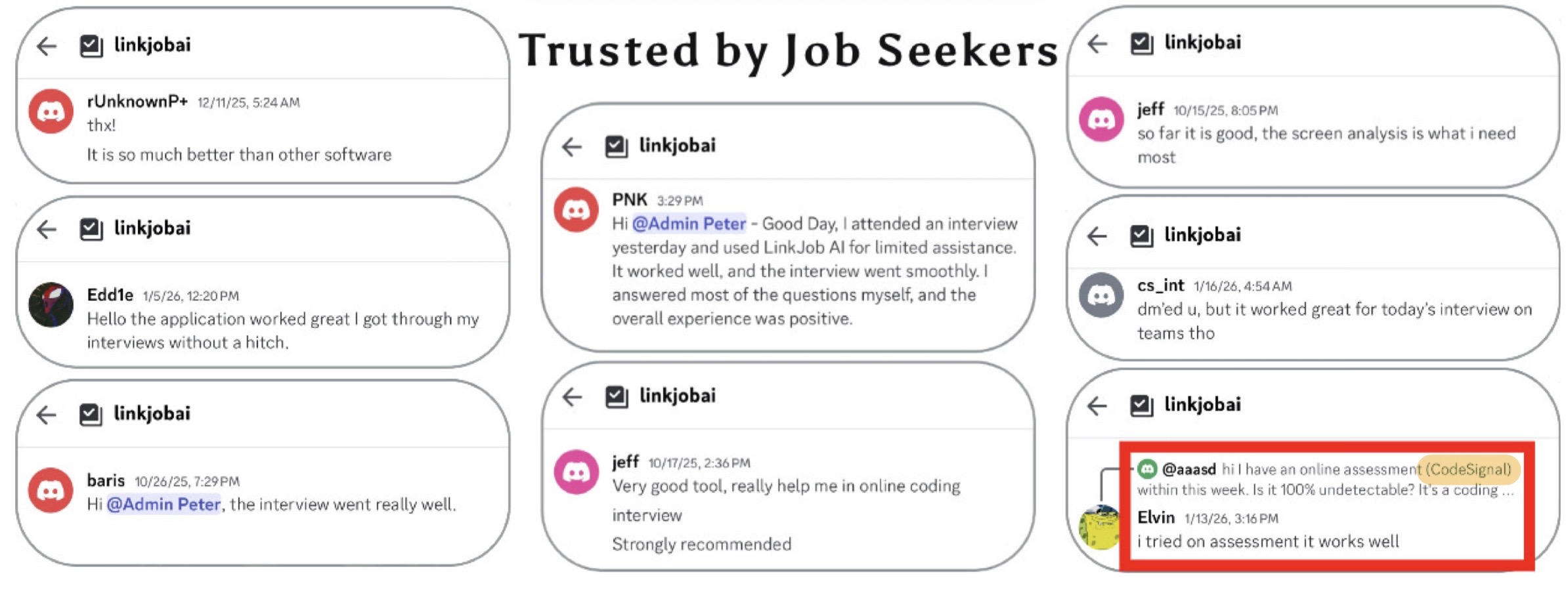
I checked out the real user reviews on their site. People are actually pulling this off on CodeSignal without getting caught. Honestly, the only reason I’m not using Linkjob AI anymore is because I already cleared my interviews and got the offer.
What AI models are available on Linkjob AI? Are there additional API charges?
Linkjob AI uses premium models like GPT-5.1, Claude Opus, and Grok 3 to deliver the highest quality and fastest response times. All of these are included in the service, you don't need to pay for a separate API. You have the flexibility to choose the best tool for the job interview. For CodeSignal tests, I personally recommend using Claude Opus.
Can I use Linkjob AI on other platforms besides CodeSignal?
Definitely. Linkjob AI works on pretty much all online testing and meeting platforms, and it’s completely undetectable. For instance, you can use it on meeting apps like Zoom, Microsoft Teams, Google Meet, and Amazon Chime. It also works on interview platforms like HackerRank, CoderPad, HireVue, and Codility.
See Also
How I Cheat on Codility and Avoid Getting Caught in 2025
Does CodeSignal Record Screen and How to Use AI to Pass Tests
How HackerRank Detects and Prevents Cheating During Online Tests
© Copyright 2025 Linkjob.ai - All Rights Reserved.